MDB File Viewer Convert MDB to SQLite
Convert MDB to SQLite
SQLite is the nearest thing to an Access file without Access: one file, every table, and readable from almost any language or tool.
Why SQLite instead of CSV
A folder of CSV files loses the database. Each table becomes a separate file, and every value becomes text. SQLite keeps the tables together in one file and keeps the types.
Two things survive that CSV cannot carry:
- Null stays Null. CSV writes a Null as an empty field, which looks the same as empty text. In SQLite the two stay different.
- Binary data stays binary. OLE Object fields are stored as BLOBs. In CSV they become a placeholder.
You can query the result with SQL straight away. The sqlite3 command ships with macOS, and Python reads SQLite without extra packages.
Converting a database
- Open the database. Choose the
.mdbor.accdbfile. An encrypted.accdbasks for its password. - Pick the tables. Select them all, or tick the ones you need.
- Choose SQLite as the output.
- Export. Progress shows table by table. Cancelling stops between tables and leaves no partial file behind.
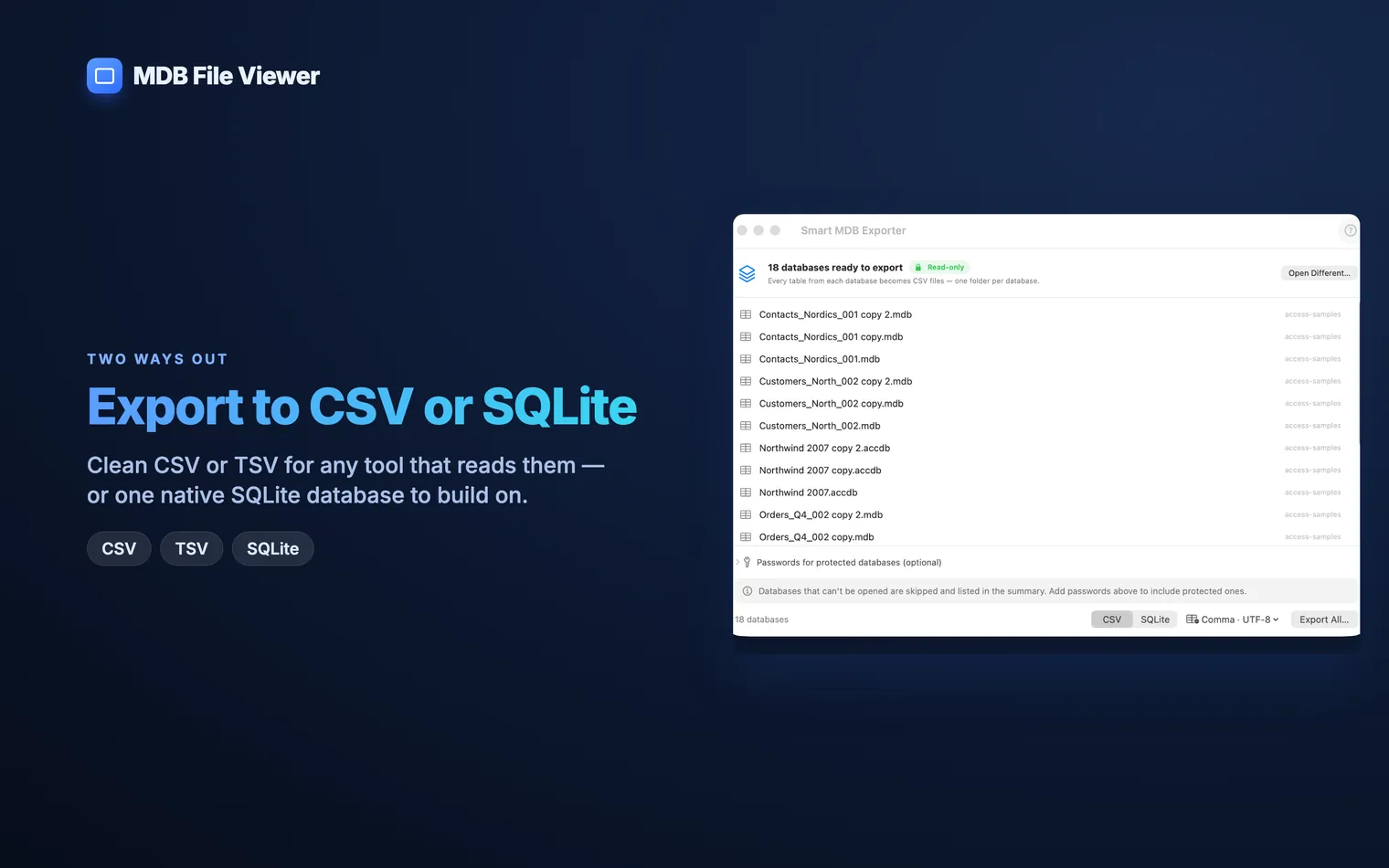
A folder of databases works the same way. Each one becomes its own .sqlite file.
Checking the result
Open Terminal and query the file:
sqlite3 Database.sqlite
.tables
SELECT COUNT(*) FROM "Order Details";
Access table names often contain spaces. Put them in double quotes, as above.
Compare the counts with the summary saved next to the export. It lists the row count for every table and anything that was skipped.
How Access types are stored
| Text and Memo | TEXT. |
|---|---|
| Byte, Integer, Long, Large Number | INTEGER. |
| Yes/No | INTEGER, 1 or 0. |
| Single and Double | REAL. |
| Currency and Decimal | TEXT, with the exact digits such as 123.4500. |
| Date/Time | TEXT, as 2003-01-02 12:00:00. |
| OLE Object and binary | BLOB. |
Currency is stored as text on purpose. A floating-point column would round some amounts. Cast the column when you calculate, for example SUM(CAST(Amount AS REAL)).
The date format is the one SQLite’s own date functions expect. date(), strftime() and date comparisons work on it directly.
What does not carry over
MDB File Viewer copies the data, not the design around it. Not exported:
- Relationships, primary keys and indexes
- Saved queries
- Forms, reports, macros and VBA
For a reporting copy or a one-off migration, the tables are usually enough. If you need the schema too, look at mdbtools.
The free route: mdbtools
mdbtools can write a SQLite schema and the data as SQL statements. Unlike MDB File Viewer, its schema output includes indexes.
brew install mdbtools
mdb-schema database.mdb sqlite > schema.sql
mdb-tables -1 database.mdb | while read -r t; do
  mdb-export -I sqlite database.mdb "$t"
done > data.sql
sqlite3 database.sqlite < schema.sql
sqlite3 database.sqlite < data.sql
It is free and offline. It does not open encrypted No. MDB File Viewer copies tables and rows only. Relationships, primary keys and indexes are not created. Add indexes yourself with Yes, with another tool. Yes. Enter the password when you open the database. The SQLite file it writes is not encrypted..accdb files.Questions
Does the SQLite file keep relationships and primary keys?
CREATE INDEX on the columns you join on.Can I move the data on to PostgreSQL or MySQL?
pgloader can load a SQLite file into PostgreSQL. For MySQL, export to CSV and use LOAD DATA.Does it work with encrypted .accdb files?