MDB File Viewer How to Open an MDB File on a Mac
How to Open an MDB File on a Mac
There is no Mac version of Access. You can run Windows, use a web converter, install mdbtools or use a Mac app.
Why the file will not open
An .mdb file is a Microsoft Access database. It can hold every table in the database, along with queries, forms and reports. Only Access and a small number of compatible tools understand the format.
Microsoft has never released Access for macOS. Word, Excel, PowerPoint and Outlook have Mac versions. Access does not. Double-click an .mdb file and Finder has no suitable app to offer.
Option 1: run Windows
Run Parallels or VMware Fusion, then install Windows and Access. Boot Camp is another option on an Intel Mac. This gives you the real application, including its forms, queries and VBA.
The trade-off is the cost of Parallels, Windows and a Microsoft 365 plan that includes Access. Setup also takes time. It makes sense if you maintain Access databases. It is a lot for one old file.
Option 2: upload it to a web converter
Search for “mdb to csv” and you will find plenty of converters. Upload the database, wait, then download a zip of CSV files.
Check who owns the data first. The whole database leaves your Mac when you upload it. Its new copy then follows the converter’s retention policy. That may be fine for a personal file and impossible for client or company data. MDB viewer online shows how to check whether a viewer uploads the file.
Option 3: the command line
mdbtools is a free open-source package that reads Access databases. Install it with Homebrew and export a table:
brew install mdbtools
mdb-tables -1 database.mdb
mdb-export database.mdb TableName > TableName.csv
This route is free and stays offline. It works well if you are comfortable in a terminal. It does not handle encrypted .accdb files, and you need to know which tables to export.
Option 4: a Mac app
MDB File Viewer lists every table with its row and column counts. Search by name, open a table and scroll through every row and column before you export. It also opens encrypted .accdb files with their password and can process a folder in one run.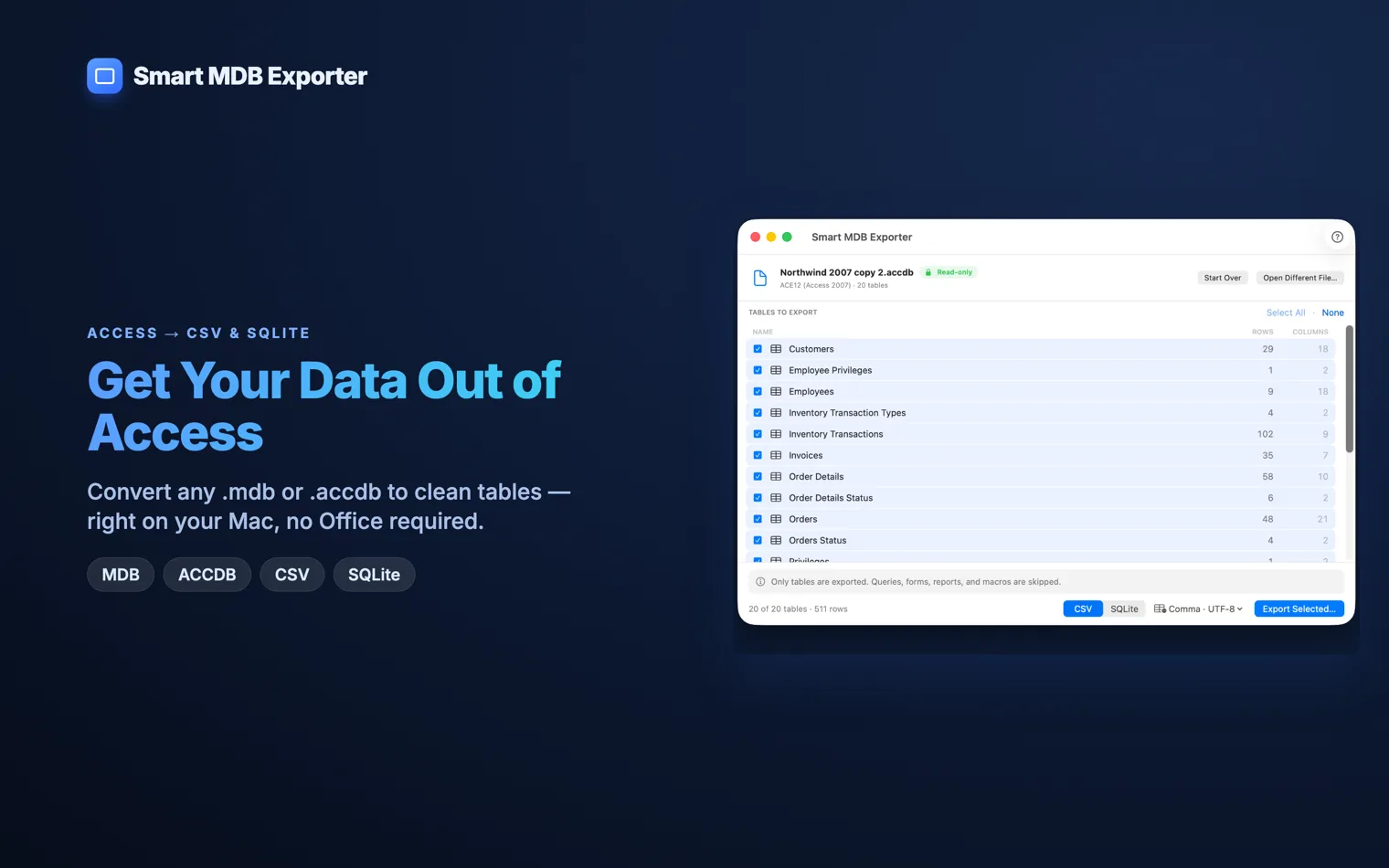
The app is a one-time purchase. It opens the source database read-only, so an export cannot alter the original.
Right-click a cell or a whole row to copy it. You can also export the table on screen without returning to the table list.
Which one to pick
| You maintain Access databases | Run Windows. You need the real Access. |
|---|---|
| You live in a terminal | mdbtools, unless the file is encrypted. |
| The data is yours and trivial | A web converter is fine. |
| The data belongs to someone else | Keep it on your machine. |
Questions
Can Excel open a .mdb file?
Excel on Windows can import Access tables through Get Data. Excel for Mac cannot because the Access database engine is Windows-only. Convert the tables to CSV first, then open those files in Excel.
Can Numbers open a .mdb file?
No. Numbers can read CSV, TSV and Excel files, but not an Access database. Export the tables to CSV first.
Is it safe to use an online MDB converter?
That depends on the data. A personal test file is one thing. A client list, patient register or company database may be covered by a contract or privacy rule. Once the file is uploaded, you cannot take that copy back.